Share a presentation with a link
You get a link that anyone can open, with no account, to click through one board's presentation.
Anyone in your organisation can make and revoke links. The viewer gets the same three layers as Present.
A usability test link is not a share link: it gives a participant tasks to do and records what they click, and it covers one page of a prototype. See Test a prototype with real people.
Make a link
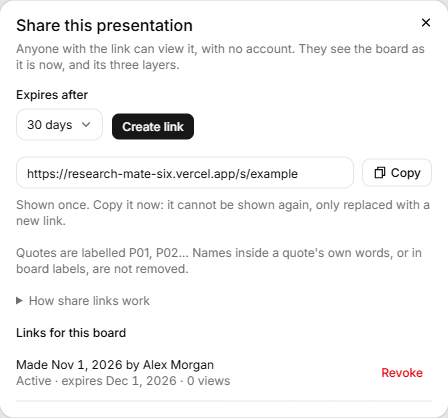
- Open the board and click Share, at the top right beside Present.
- At the top of the dialog, under Expires after, choose 7 days, 30 days or 90 days. 30 is the default.
- Click Create link.
- The link appears under that, in the Share link field. Click Copy, and the page says "Link copied."
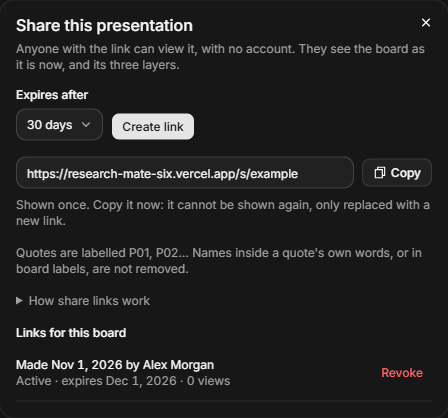
Under the link, a line says "Quotes are labelled P01, P02… Names inside a quote's own words, or in board labels, are not removed." How share links work opens a note on the frozen copy, revoking, and what deleting or restoring the board does.
The link is shown once: "Copy it now: it cannot be shown again, only replaced with a new link." Close the dialog and it is gone. Each click of Create link makes a new link, so a board can have several.
What the viewer sees
- The board's presentation, in the three layers, with the keys that Present has. There is no Exit button.
- The board as it was when you clicked Create link. Later changes, and quotes you delete, don't reach a link already made.
- Quotes labelled P01, P02 and so on in place of the transcript's name. Notes you attached to evidence links are left out.
- The board's name and the project's name, in the header.
Names inside a quote's own words, and in board labels, are not removed. Check them before you share. Search engines are told not to list the page.
See and revoke your links
Links for this board lists each link on two lines, such as "Made 5 Oct 2026 by" and a name, then "Active · expires 4 Nov 2026 · 3 views". The status is Active, Expired or Revoked. Views count every open, including a link preview.
- Click Revoke on an active link.
- Read the message: "Anyone using this link will see a not-found page from now on. This cannot be undone."
- Click Revoke link.
A revoked link can't be turned back on. If you lose a link, make a new one and revoke the old one.
If you delete the board
Deleting the board switches its links off, and visitors see a not-found page. Restoring the board switches back on the links that have not expired and were not revoked. To end a link for good, revoke it first. See Delete and restore a board.
If it doesn't work
- "Too many share links made. Try again in a few minutes." You can make 30 links in 10 minutes.
- "This presentation is too large to share as a link." Share a smaller board.
- A visitor sees a not-found page. The link was revoked, has expired, or its board is deleted. Check the link was copied whole.